How it works
Record
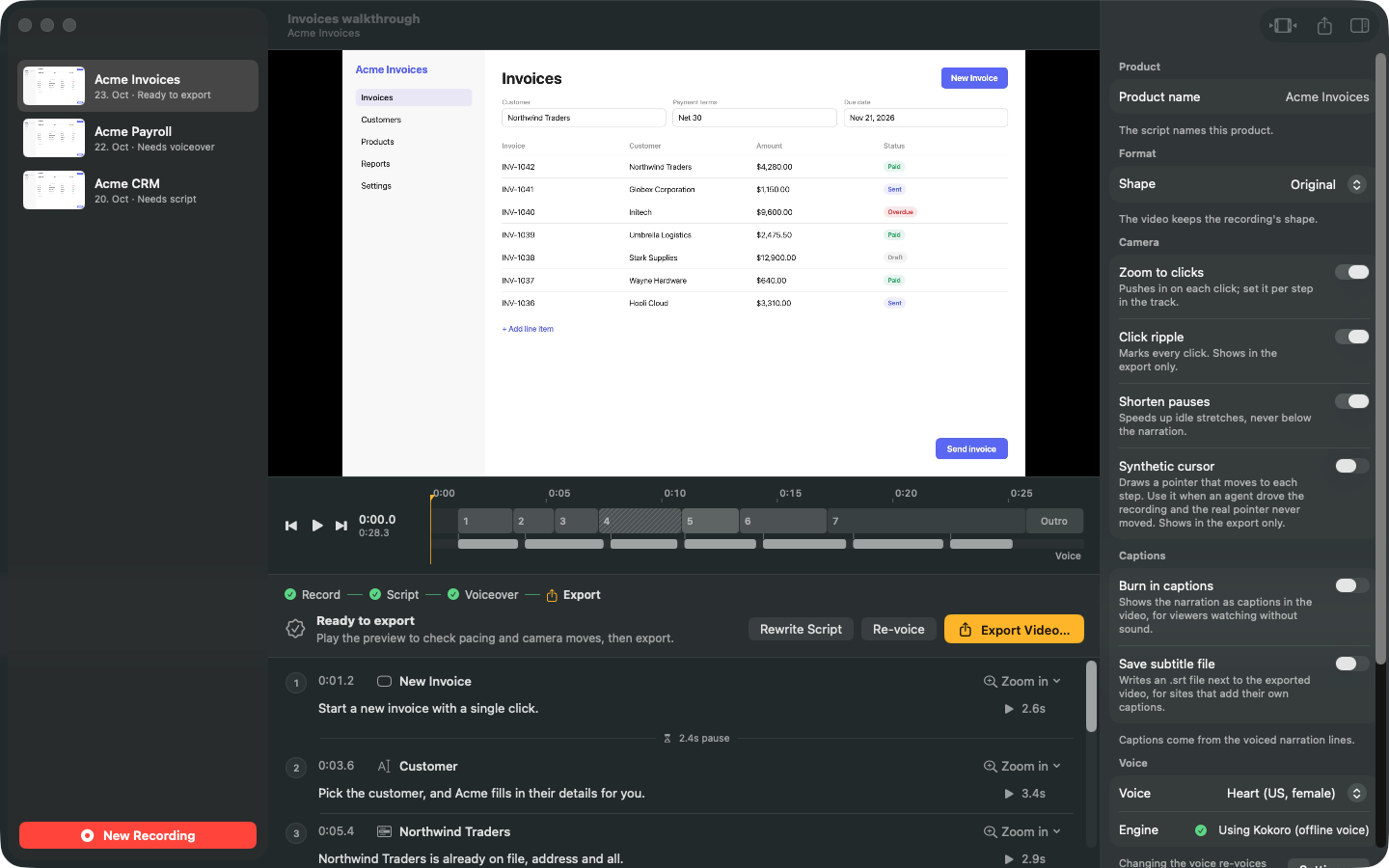
Pick a display or a window and click through your demo. Every click becomes a step, named after the button or field you clicked.
Script
Casthru drafts one narration line per step. Edit any line in place.
Voice
Choose a voice and generate the voiceover, timed to each click.
Export
Zooms, click highlights, captions and title cards are added for you. Export an MP4 in 16:9, square or vertical.
- Works offline. Script and voice can run on your Mac with local models. Nothing leaves your Mac and no API key is needed.
- Or use OpenAI. Bring your own API key if you prefer OpenAI's models.
- Agents can make videos too. Claude Code, Cursor and other MCP clients can record and produce a demo while they click through a website.
- Stays up to date. Casthru checks for new versions and installs them when you're not recording.